Tuesday, November 13, 2012

Google DevFest recap

I am back from Bolivia and Google DevFest season. We organized 2 DevFests, one in Cochabamba and one in La Paz. My first presentation was in Cochabamba and I was really nervous. I have terrible issues when I have to talk in front of people and this time wasn't the exception. Almost 250 attendees were that day and that was pretty scary for me. Anyways, at the end it was really good. I wish I had more time to do more code examples but it was good. Most of the people were Computer Science Students or Software Developers so my talk was a really good fit. I was really surprised when I found out that no body knew about my topic, I was happy I had the chance to introduce something new to them though.

GDG Cochabamba!!
In La Paz was completely different. There weren't as many developers as I thought there would be. Since the time was limited I barely did code examples and the audience itself wasn't for that kind of talk. At least I was more calm and relax than the first time and even kind of enjoy it :) The really sad part is that we had a special guest for this event. For the first time ever we had a Googler :) Nicolas Bortolotti , but due to bad organization he had to leave before we expected and because of that his presentation was a little bit short in time either way it was really nice to see him again and exchange some words.
a geek ;)
In summary it was a great experience and I got to meet really nice and good people. I really wish I could do this again since it was really fun and it helped me with my stage fright problem. What's more, I do enjoy sharing what I know with others.

You can see my slides here and I would really appreciate the feedback since this was my first doing it I would like the get better :)
Here is a video of my talk. Sorry, it is in Spanish :(


Thanks to everyone who made this possible :)


Thursday, October 11, 2012

GDG DevFest Season

Google Developer Groups DevFest are community-run events that offer speaker sessions about different Google technologies and they are all over the world. They started last month and they will last until November 11th so there is still plenty of time.


This year I have been really busy as GDG organizer for 2 cities GDG Cochabamba and GDG La Paz which are back in my beloved Bolivia :) and with the help of amazing people we are hosting the very first GDG DevFest in Bolivia this October 20th in Cochabamba a really beautiful city :) and I get to be a speaker this time. I will be talking about Google Apps Script for education. I am pretty much done with my slides but still I have never been so good at talking ( I like computer interaction more than people interaction ;) ) so let's hope I do not get stage fright or something.


The DevFest in La Paz is this October 24th and I wanted to talk about Git/GitHub for Android Development but I am not sure I will finish on time, work has been really really hard these last weeks. Anyways, I still want to talk about that and I will do it at some point but it seems not for this event. If everything goes as planned, we will have one Googler for this event and I am really excited about that since I am pretty sure this is going to be the very first time a Googler visit us so it is going to be amazing!

All the information about these GDG events are in the official page and the details about GDG Cochabamba DevFest and GDG La Paz DevFest as well. You can find one near by where you are and participate and have fun!

Happy DevFest Season :)

Friday, October 5, 2012

BlackBerry Jam Americas 2012 recap

I was invited to this year's BlackBerry developers conference in San Jose California. I think they invited to everyone who published an application in their App World. Anyways, I couldn't say no :) and I always like going to the west coast ;)

It was a 3 day event. So there was plenty of sessions and labs. I couldn't see the whole keynote due to a navigation error in other other words I took the wrong train :$
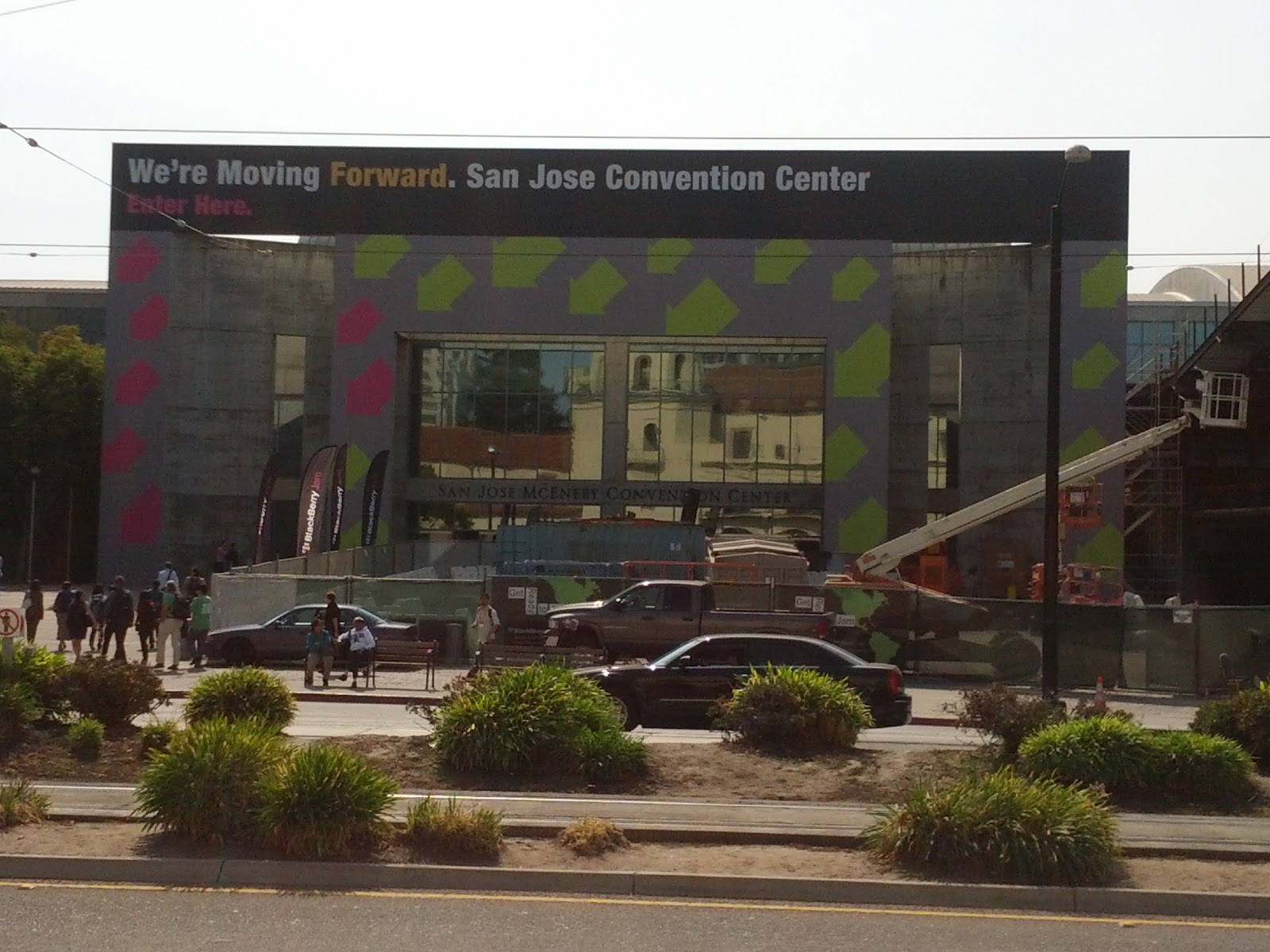
San Jose Convention Center
After the keynote all the sessions started. I tried to attend all the labs and the getting started sessions since I am really really new on this platform. I know I ported my Android App to the BlackBerry PlayBook but I think that is some kind of cheating since It uses the Android run-time. So basically it is Android running inside BlackBerry. I wanted to learn the native options to develop for this platform specially for forthcoming BlackBerry 10.
Using a PlayBook for registration, pretty cool ;)

I expected more attendees but I guess I am used to Google IO conferences, but that was fine so you did not have to fight for a place and the sessions and labs felt better since we were few we got better help and support.

The first 2 days were just sessions and labs. The third day was something they called the Unconference day on which the attendees decided the topics. It was a good idea but it did not have the attention required. At the end everyone was talking to everyone about their questions and curiosities. You just needed to look for a table with a good topic and that is all, you just joined them.
I really want one of these!!!

I must say that it was a good conference but I have the feeling that some of the sessions required more work and effort in the presentation. I expected more examples and code. Some were really really good but others felt like they were improvised.

I am sure RIM is trying to do its best to keep the community and developers working on BlackBerry 10 environment but I still think it is a little bit late. They are putting all their efforts on this new device and framework also they have started developer relationships all the world to keep growing its community, they are updating their blog with more and more information and examples but still it is getting really really hard to compete with Android and Apple.

In general it was an amazing experience and I got to know really smart and nice people during these 3 days. I was one of the lucky guys who got an Alpha B device so I can play and develop apps with it and for sure I will do it. I had to sign a non-disclosure agreement but that is OK with me :)
BlackBerry 10 Dev Alpha B prototype :)

Pretty much all the sessions are on demand if you are interested on learning what is new on this platform.

Thanks for the invite BlackBerry and hope to see you next year!

Thursday, September 13, 2012

Get File Line Count on Windows

This is just a small trick I have learned. Usually when you have to work with really really huge files you need to know the number of lines if has. For example, if you have to import a huge CSV file into a DB you need the count so you can verify the process or to have an idea of how long it will take. On Linux this is easy just a
wc -l [filename]
and that is all. On windows though it is different unless you install cygwin your command line options are limited. Specially if you have to do the job on customer's servers where you can't install what ever you want. So to do the trick on windows you have 2 options:
findstr /R /N "^" [filename] | find /C ":"
or
type [filename] | find /c /v "~~~"
The speed depends on how big the file is. I tried it on an 10GB CSV file and took around 15 minutes, both gave me the right result though. Hope it helps some one. Happy coding!

Tuesday, August 21, 2012

Installing VMWare Player on Ubuntu 12.04

I am still customizing my Ubuntu environment and every day is something new :) This time is VMWare Player. Mostly I use this to power up Virtual Windows machines to do some testing and to execute some proprietary software.

First, download the latest version of VMWare Player from here. At the time of this post the latest version was 4.0.4 and I used the 32 version. It should be the same if you have the 64 bit one. You might need to register in order to download the file and once you have it. It will probably be downloaded as .txt so you will have to rename it to .bundle

In order to run the installer we need to download some dependencies. To do that we execute this:
sudo apt-get install build-essential linux-headers-`uname -r`

Once all the dependencies are installed we need to give the installer execution permissions. We do that using this command:
chmod +x VMware-Player-4.0.4-744019.i386.bundle

Then we execute it:
sudo VMware-Player-4.0.4-744019.i386.bundle

At this point the installation window should show up and you just follow it
Starting installation
VMware stadistics
Checking for updates
Ready to install
Installing
Installation completed
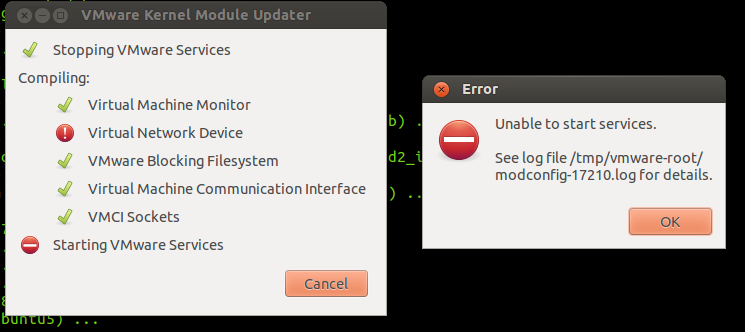
 At this point VMware is installed but If you try to execute it, you will get the next error

we need to patch it
VMware error

To make it run on Ubuntu 12.04 we need to patch it. To do so we download the patch and edit it before we apply it just to reflect the version we are using. So let's do it
sudo apt-get install patch
wget http://webupd8.googlecode.com/files/vmware802fixlinux320.tar.gz
tar -xvf vmware802fixlinux320.tar.gz
We have have downloaded the patch and unpacked it. Now we need to edit the patch-modules_3.2.0.sh file. Change the plreqver value to the version you are installing in this case 4.0.4, save it and close it.

edit patch file
Finally we apply the patch:
sudo ./patch-modules_3.2.0.sh
applying the patch
And that is all. Now we launch the application again and we should see the License Agreement and once we Accept it the application will show up
License Agreement

VMware Player
It is not that complicated, but you do need some knowledge using command line. Hope it helps some one.

Happy Hacking!


Saturday, August 11, 2012

How to Install Oracle SQL Plus on Ubuntu 12.04

On my day to day work I have to deal with Oracle a lot! and since I am trying to use Ubuntu as my working environment I had to install a bunch of things one of them is SQL Plus. I like command line a lot and SQL plus is the best tool for Oracle so I had to have it.

The process is not so complicated. So let's start first you need to go to the Database Instant Client page and download the one specific to your platform. This post is for 32 bit so you have to download the Instant Client Downloads for Linux x86 one. It should be the same for the 54 bit though. From there you need to download these 2 rpm files:
  • Instant Client Package - Basic: All files required to run OCI, OCCI, and JDBC-OCI applications
  • Instant Client Package - SQL*Plus: Additional libraries and executable for running SQL*Plus with Instant Client
If you want, you can download the SDK :
  • Instant Client Package - SDK: Additional header files and an example makefile for developing Oracle applications with Instant Client
Since these are rpm files we need to convert them to deb, in order to that we need to install the alien utility
sudo apt-get install alien

Once that is done, go to the folder where the rpm files are located and execute the following
alien -i oracle-instantclient-basic*.rpm
alien -i oracle-instantclient-sqlplus*.rpm
alien -i oracle-instantclient-devel*.rpm

These commands will convert the rpm files on the fly and install them. Now you can test it by just typing sqlplus on the command line. For sure it will complain about a couple of things. One of them maybe about a missing libaio.so.1 . This one is easy, we just need to install it a simple
sudo apt-get install libaio1
The next error might be about missing libraries like libsqlplus.so. The libraries are there but SQL Plus can't find them. We need to add them to our PATH this is easy as well. We just need to create an oracle.conf file inside /etc/ld.so.conf.d/ so lets do that. I use vi because I like it, but you can use whichever editor you want to create the file.
sudo vi /etc/ld.so.conf.d/oracle.conf
then we add this:
/usr/lib/oracle/11.2/client/lib/
Notice that in my path I have 11.2 be careful with this. You can navigate and check that the path is correct for yours. 11.2 is the version we are installing. At the time of this post 11.2 was the latest one. Once you save the file we need to update the configuration by running:
sudo ldconfig

Now you should be ready to connect using:
sqlplus username/password@//dbhost:1521/SID

If you have problems with the SDK, you can check this post.
Hope it helps someone and happy coding!